How Do Websites Work
In the last blog, I wrote about how the internet works. Today I will illustrate how exactly do websites work. What HTML, CSS, and JavaScript do exactly. To access a webpage, we need a browser. And that can be Chrome, Firefox, or whatever your favourite browser is. These are all pieces of software that allow us to look up the IP address of a website and be able to receive data that it can render into these beautiful websites that we see.
Now the data that we receive from the server usually consists of three types of files: HTML, CSS, and JavaScript. And you would likely have come across these types of files or these words before, because they're so common and they are so integral to how websites work.
HTML
The HTML code file is responsible for the structure of the website. So, if the website is the house, then the HTML would be the builder who would come in to build the walls and establish the structure of the house. So, when you write HTML code, you build up the structure of your website. So you could use HTML to add an image or button, or whatever it is that you need in your website.
CSS
Now the second type of files are CSS files, and these files are responsible for styling the website. If you are building a house, then this would be the painters and decorators. They would be going around painting the walls or adding stylistic flourishes to your place, and generally making the place look the way that you want it to. And that's exactly what CSS code does as well. When you incorporate CSS, it allows you to specify how you want your website to look. You may create a button from HTML, but if you want that button to be red and the text to be white and the font to be serif, that is all done with CSS code.
JavaScript
Now the final component is the JavaScript code. And this is the code that allows your website to actually do things or have behaviour. And if you're building a house, you would have the electrician come in, who would be able to connect the wires so that your light bulbs actually switch on. And the JavaScript code does exactly that. It allows your website to actually do things and have behaviour.
So if we take the example of the Google website, once we receive these files from the Google server, when our browser loads up the HTML files, we'll get to see the structure of the website, namely, there's one image that has their logo, there are two buttons, and there's a text box where we can enter our search. Now, when we receive the CSS files, they will modify the appearance of all of those components. We don't have any more buttons or any more images, but they now look the way that Google wanted them to. And finally, when we incorporate the JS files, then our website actually starts having behaviour. It has functionality, and it's actually able to do something rather than just display some images and text to us.
How Frontend and Backend Work Together
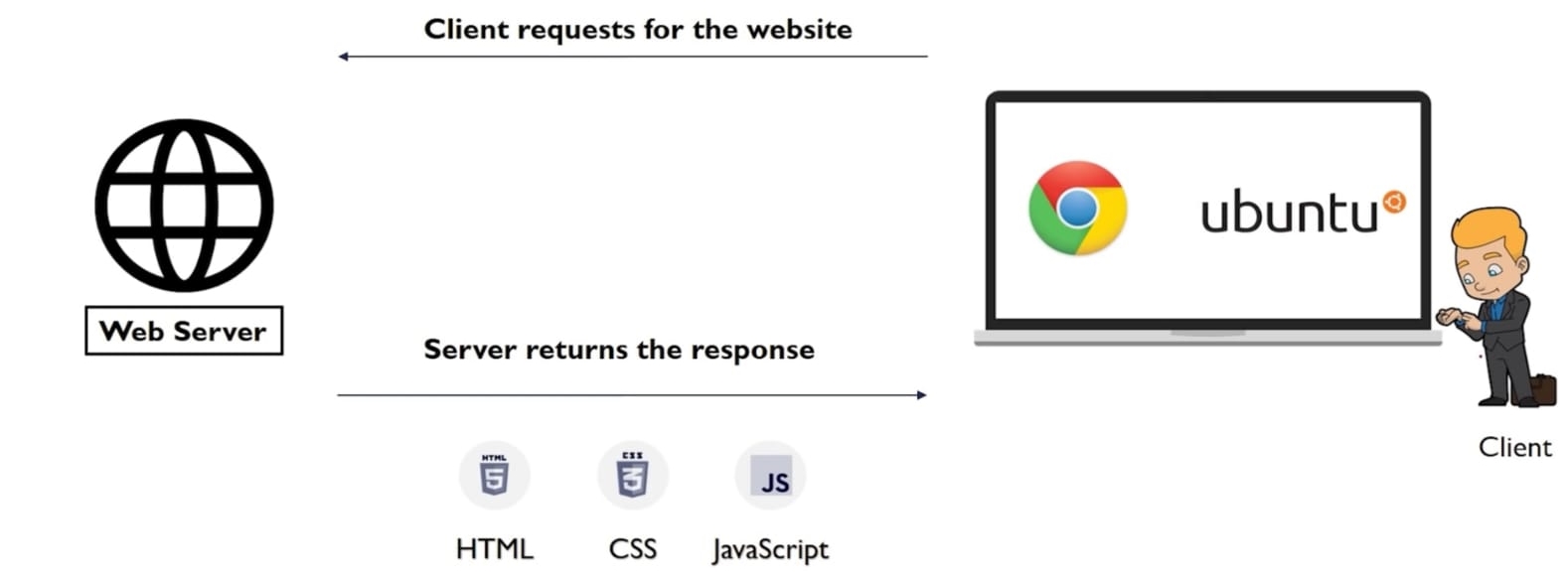
Every website has two has it's two aspects: frontend and backend. The frontend is what the user sees or interacts with (HTML+CSS+JS code), and the backend is what is responsible for all the heavy lifting and computation. The frontend and the backend communicate with each other via HTTP requests.
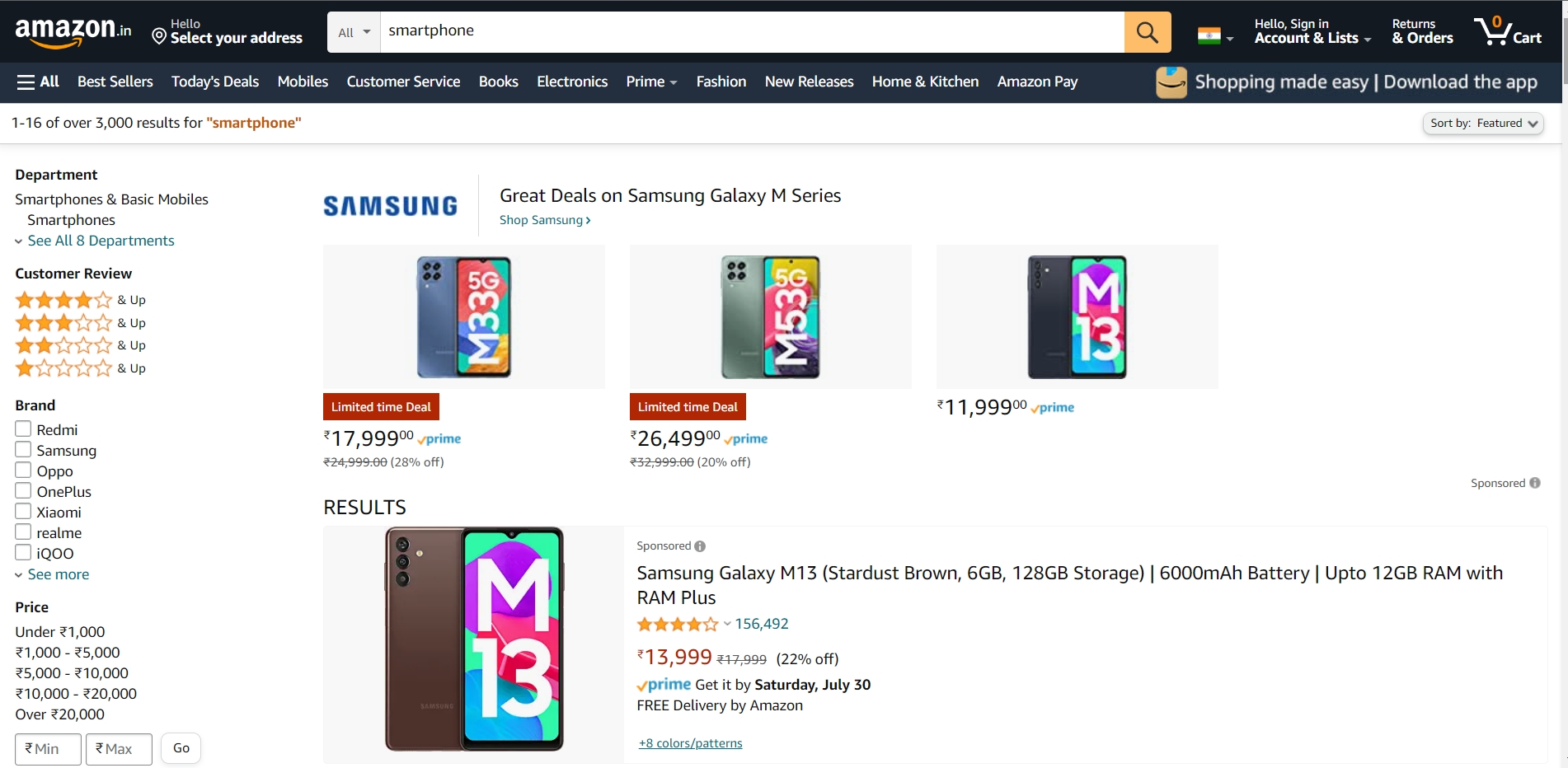
Suppose you are using your computer to purchase a smartphone online from Amazon. The UI (User Interface) of Amazon, which you'll see on your monitor, is basically the frontend of Amazon, which is created by the developers of Amazon by writing HTML, CSS and JavaScript code. When you click on any product, it will send an HTTP request to Amazon's server. The request will get processed there and will send back all the details of your selected product to your computer as a response. So, that's how the front-end and backend work together in a website.
So, this is the overall working principle of the website. I didn't go that deep because it can't be covered in one blog. But in the next few blogs, I will definitely cover the deep aspects of the website functionality.